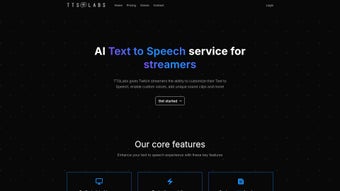

Download TTSLabs – AI‑Powered Text‑to‑Speech for Twitch Streamers
Overview
TTSLabs is a purpose‑built, AI‑driven Text‑to‑Speech (TTS) service that targets Twitch creators looking to add a dynamic audio layer to their live streams. By converting viewer messages, donations, and alerts into spoken words, the tool turns ordinary chat interactions into immersive, real‑time audio moments. What sets TTSLabs apart is its deep integration with popular streaming platforms such as Streamlabs and StreamElements, a sleek desktop client for instant control, and a robust customization suite that includes custom voice selection, unique sound‑clip overlays, and profanity filtering. Streamers can set individual prices for different voice packs, add personal sound bites for branding, and even create a “viewer guide” that explains how audiences can trigger TTS alerts. The result is a more engaging broadcast that encourages audience participation, drives additional revenue through paid alerts, and offers a professional polish that rivals large‑scale production studios—all while remaining lightweight enough to run alongside demanding gaming sessions.
Key Features that Power Your Stream
- AI‑Generated Voices: Choose from a library of high‑quality synthetic voices, each optimized for clarity and low latency, ensuring your alerts sound natural even during fast‑paced gameplay.
- Custom Sound Clips: Pair voice alerts with personal sound effects, intro jingles, or branding stingers to give every donation a unique audible signature.
- Profanity & Spam Filters: Built‑in text sanitization protects your channel from offensive language and repetitive spam, keeping the stream family‑friendly.
- Seamless Streamlabs/StreamElements Integration: Connect TTSLabs with existing donation widgets, letting viewers trigger speech with a single click.
- Real‑Time Processing: Sub‑second generation time means alerts appear almost instantly, preserving the flow of conversation during live play.
- Price Tiering & Monetization: Set per‑alert costs, bundle voice packs, or offer “premium” sound‑clip packages to monetize audience interaction.
- Desktop Management App: A dedicated Windows/Mac client provides a clean dashboard for voice selection, price adjustments, and log monitoring.
- Viewer Guide Generator: Automatically creates a chat‑friendly guide that outlines available alerts, pricing, and usage instructions.
Installation, Compatibility & How to Use TTSLabs Effectively
Step‑by‑Step Installation
Downloading and installing TTSLabs is straightforward. Begin by visiting the official website and clicking the Download for Windows or Download for macOS button. The installer is signed and verified, ensuring a secure installation process. After the download completes, run the installer, accept the license agreement, and follow the on‑screen prompts. The application automatically creates a shortcut on your desktop and adds itself to the system tray for quick access during streams.
Operating System Support
TTSLabs currently supports Windows 10 / 11 (64‑bit) and macOS 11 Big Sur and newer. While a Linux client is not officially released, the service can be accessed via a web‑based dashboard for basic configuration, though real‑time audio playback is only guaranteed on the supported desktop apps.
Initial Configuration
Upon first launch, you’ll be guided through a wizard that asks you to link your Streamlabs or StreamElements account. This connection grants TTSLabs permission to read donation events and push generated audio back to your streaming software. After linking, you can select a default voice, upload custom sound clips, and set profanity filter thresholds. A test button lets you preview how a message will sound before it goes live.
Live Usage Tips
- Set Reasonable Prices: Start with low‑cost alerts (e.g., $0.99) to encourage participation, then introduce premium voice packs for higher revenue.
- Monitor the Log: The desktop app includes a live log window that displays incoming requests, filtered text, and playback status, helping you troubleshoot any hiccups instantly.
- Balance Audio Levels: Use the built‑in volume mixer to ensure TTS alerts do not drown out game audio or your microphone.
- Update Regularly: TTSLabs releases monthly updates that add new voices, improve latency, and patch security issues. Enable automatic updates in the settings menu.
Pros, Cons & Frequently Asked Questions
Pros
- Highly customizable voice and sound‑clip library.
- Fast, sub‑second generation keeps stream flow natural.
- Deep integration with major streaming tools eliminates manual setup.
- Robust profanity and spam filters maintain a clean broadcast.
- Free tier available with optional paid voice packs.
Cons
- No native Linux client (requires web workaround).
- Advanced customization (e.g., multi‑language support) may need extra configuration.
- Free tier limits the number of custom sound clips per channel.
FAQ
Is TTSLabs free to use?
Yes, TTSLabs offers a fully functional free tier that includes basic voice options and a limited number of custom sound clips. Premium voice packs and additional sound‑clip slots are available for purchase.
Can I use TTSLabs with OBS Studio?
Absolutely. TTSLabs outputs audio through a virtual audio cable that can be captured in OBS Studio just like any other microphone source. The desktop client also provides a direct “Add to OBS” button for quick setup.
How does the profanity filter work?
The filter scans incoming text against a configurable blacklist. You can choose to replace offensive words with a beep, a short silence, or a custom “censored” phrase. Settings are adjustable per‑voice or globally.
What is the latency from donation to spoken alert?
TTSLabs processes text in under 500 ms on average, meaning most alerts are heard within a half‑second of the donation being confirmed. Network conditions and server load can affect this slightly, but the system is optimized for real‑time performance.
Do I need a powerful PC to run TTSLabs?
The application is lightweight and runs comfortably on any modern laptop or desktop that meets the minimum OS requirements. CPU usage typically stays below 5 % during active streaming, leaving ample resources for games and other broadcasting tools.
Final Verdict and Call to Action
For Twitch creators who want to transform passive chat into an audible, interactive experience, TTSLabs delivers a polished, AI‑driven solution that balances ease of use with deep customization. Its real‑time voice generation, seamless integration with Streamlabs/StreamElements, and robust moderation tools make it a standout choice in the crowded TTS market. While Linux users will need to rely on a web interface and the free tier imposes modest limits, the overall value—especially for streamers seeking additional monetization pathways—far outweighs these minor drawbacks. If you’re ready to boost viewer engagement, increase donation revenue, and give your channel a distinctive audio brand, download TTSLabs today and start experimenting with custom alerts in your next broadcast.
Ready to level up your stream? Click here to download TTSLabs for free and join thousands of creators who are already turning chat into captivating conversation.



.png)



